Set Measurement Unit Preferences
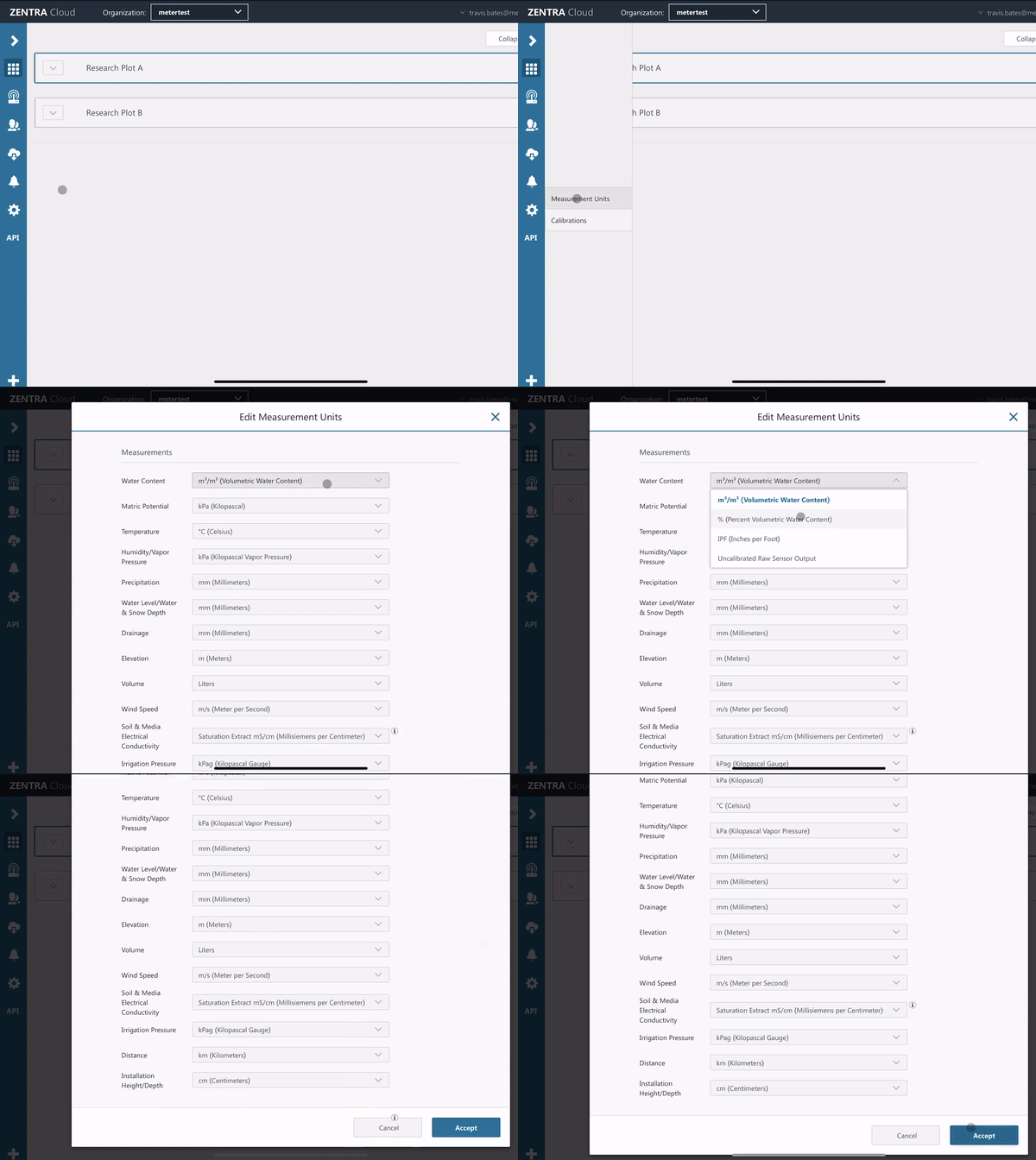
Set the preferred measurement units for viewing and downloading data.
Some measurement categories allow you to choose between different types of representations of the same underlying data. In these cases, only one parameter type can be displayed at a time within that category.
This means that when you select one option, the others in that category will not be shown simultaneously.
Water Content
The Water Content category supports multiple ways to represent soil moisture, but only one can be active at a time:
- Volumetric Water Content
- m³/m³
- % (percentage)
- IPF (inches per foot)
- Raw sensor output
You cannot display both processed values (e.g., % or m³/m³) and raw sensor output at the same time. Devcie downloads will however, contain Raw sensor output either as an additional tab or a separate file.
Humidity / Vapor Pressure
The Humidity / Vapor Pressure category provides different ways to represent atmospheric moisture conditions:
- Vapor pressure
- Humidity
- RH Relative Humidity
- % RH (Percent Relative Humidity)
- Water activity
Soil & Media Electrical Conductivity
The Soil & Media Electrical Conductivity category includes multiple interpretations of conductivity depending on the measurement method:
- Saturation Extract EC mS/cm
- Pore Water EC mS/cm
- Bulk EC mS/cm
Unit preferences
- Select the wrench icon.
- Select Measurement Units.
- Select your preferred units.
- Click Accept to save.
How did we do?
Lost Password/Password Reset
