Lost Password/Password Reset
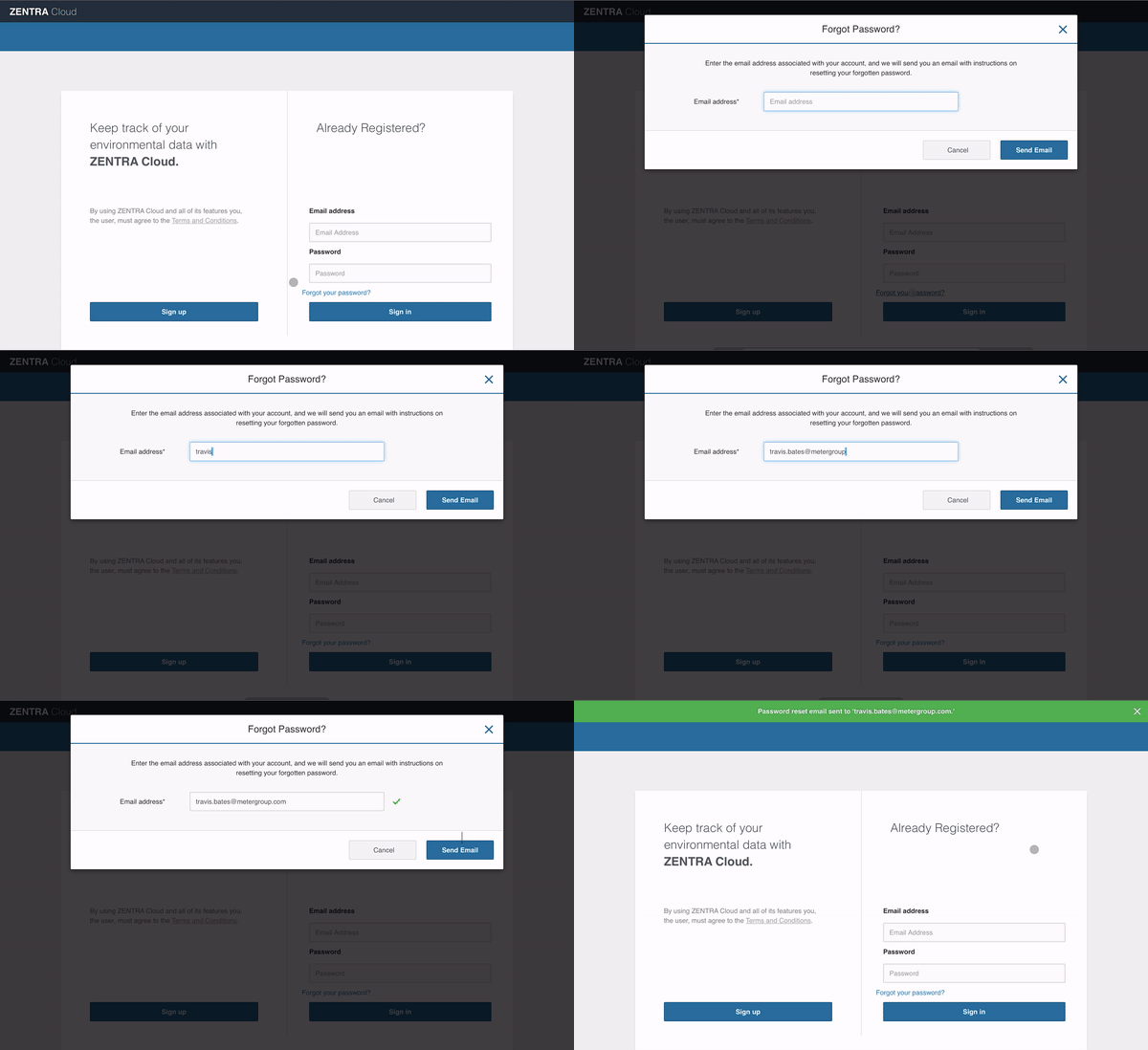
If you have forgotten your password, navigate to www.zentracloud.com. On the login page click the forgot your password link. Enter your email address and click the send email button.
If you have forgotten your password, navigate to www.zentracloud.com
Forgot Password
- On the login page click the Forgot your Password link.
- Enter your email address and click the Send Email button. An email with a link will be sent to your inbox.
- Follow the link in your email to reset the password.
No email from alerts@zentracloud.com? Check your spam folder.
For security, the password reset link will expire after 72 hours.
How did we do?
Update Account Password
Set Measurement Unit Preferences
