Table of Contents
Soil-Specific Calibrations
How to enter and apply soil-specific calibrations.
Table of Contents
Generic soil calibrations provide reasonable accuracy for most mineral soils. For additional accuracy, create and apply soil-specific calibrations. You can enter and apply them from the Device Configuration or from the Data table.
For guidance on how to calibrate soil moisture sensors, or to learn about the METER calibration service, contact Customer Support.
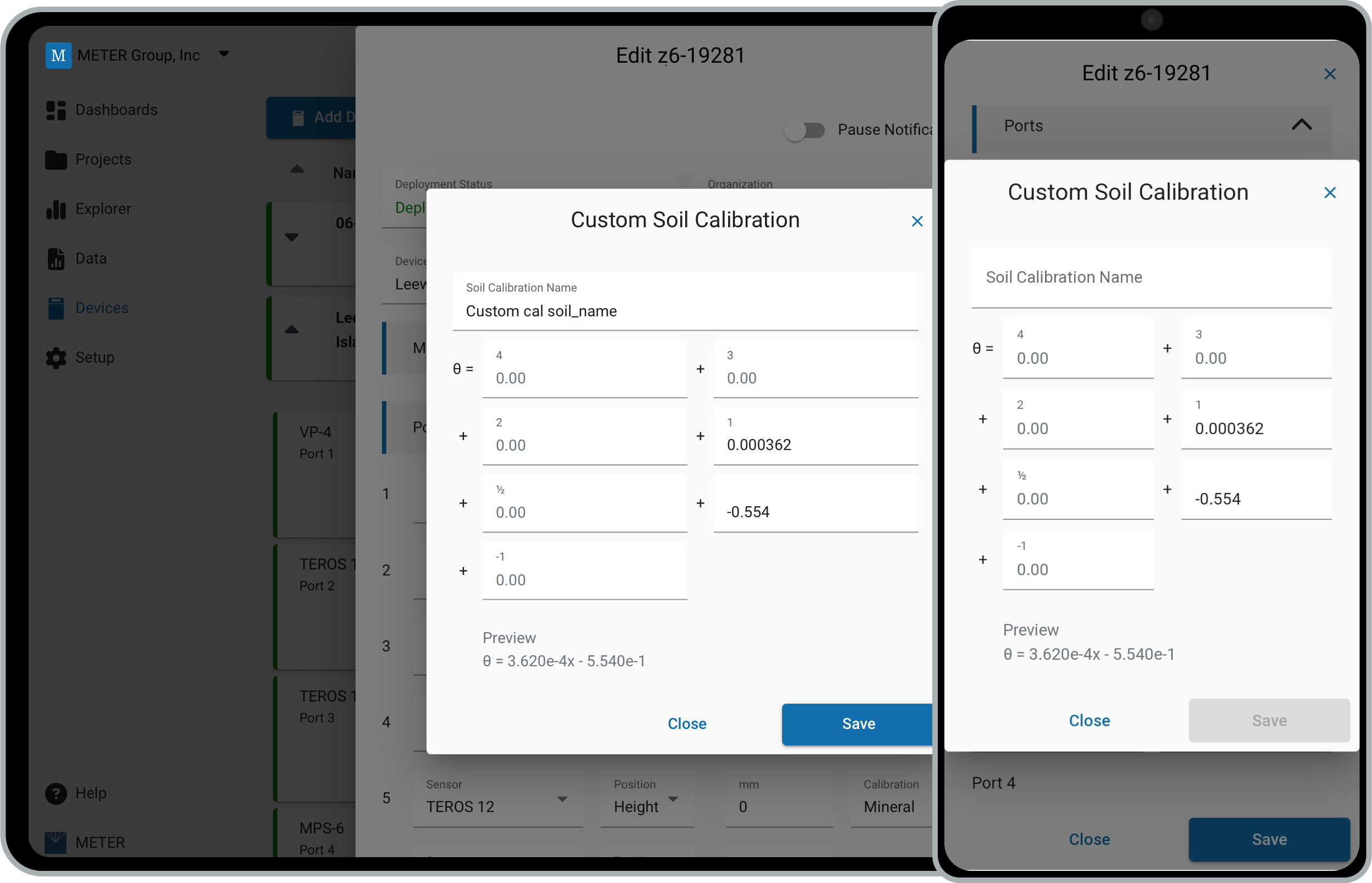
Apply a calibration from Ports
In the Ports section of the Device Configuration for soil water content sensors, select an existing calibration or enter a new calibration for that sensor model.
Soil-specific calibrations are unique to each sensor model. Sensor models that share the same calibration are:
- 5TE and 5TM
- TEROS 11 and TEROS 12
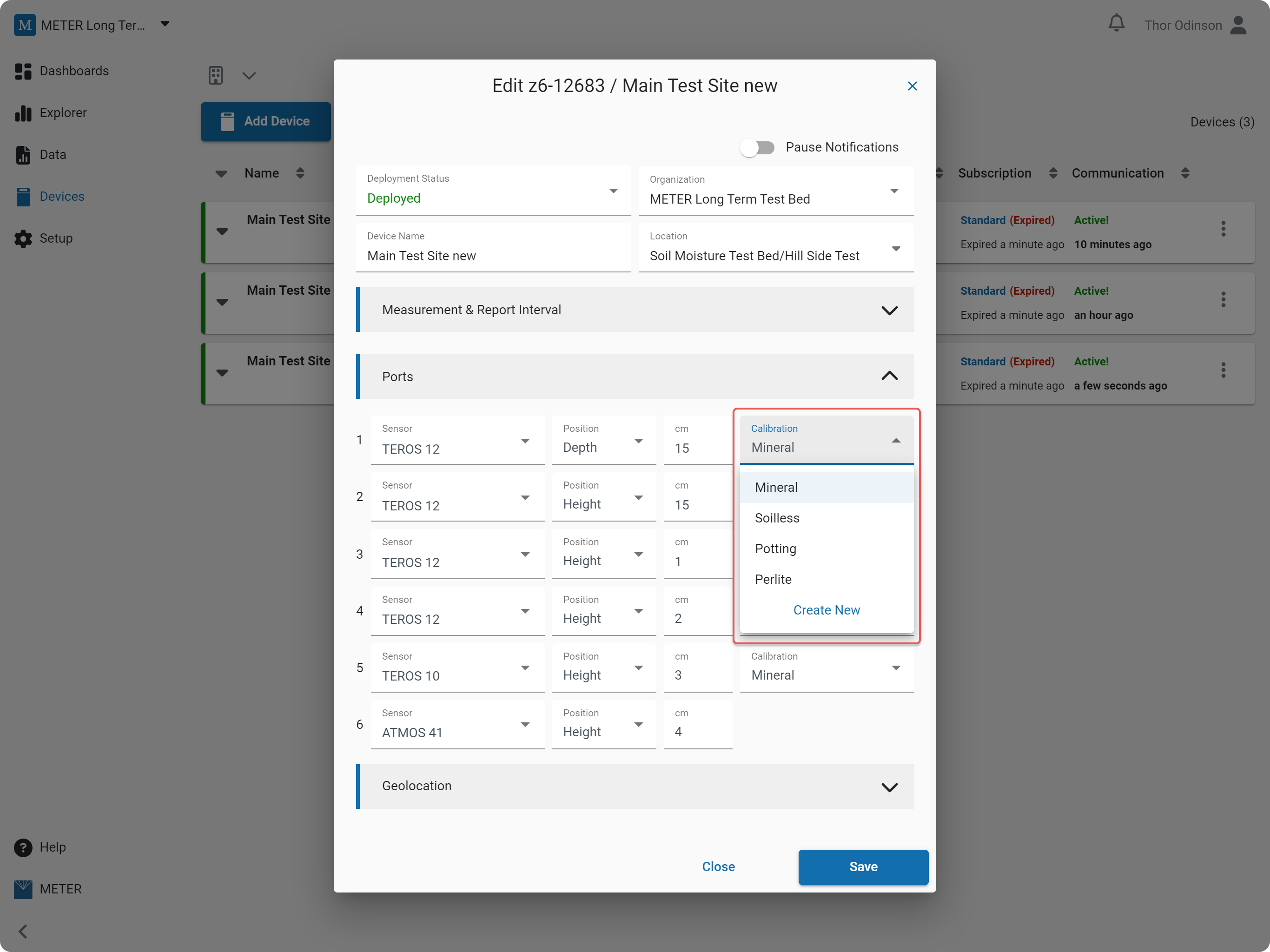
Edit an individual calibration
Select the Pencil icon to edit the calibration for soil moisture measurements, or select Edit from the Ellipsis menu.
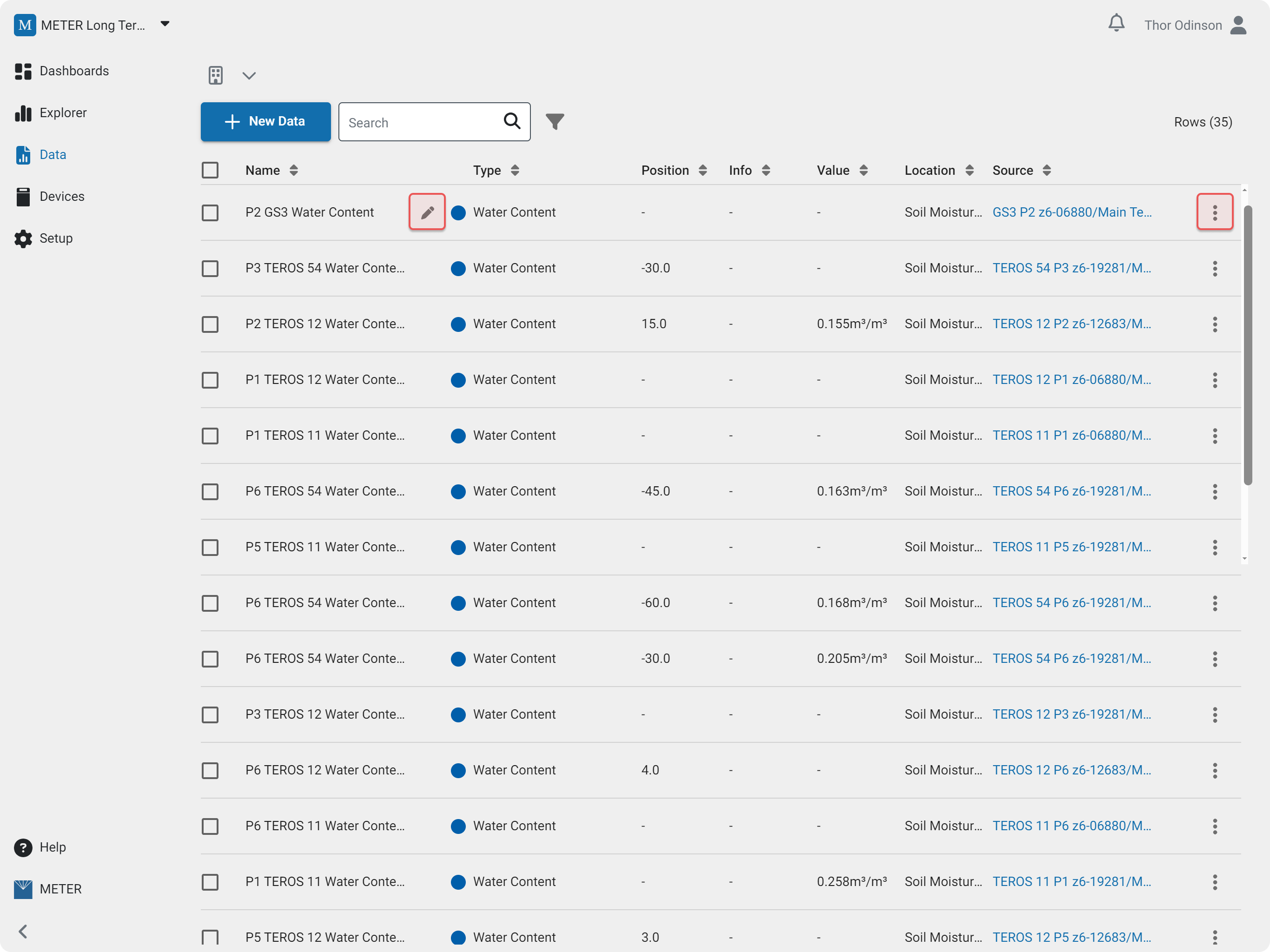
Edit in bulk
On the Data page, use the checkboxes to multi-select, then choose Soil Calibration from the toolbar to make bulk edits.
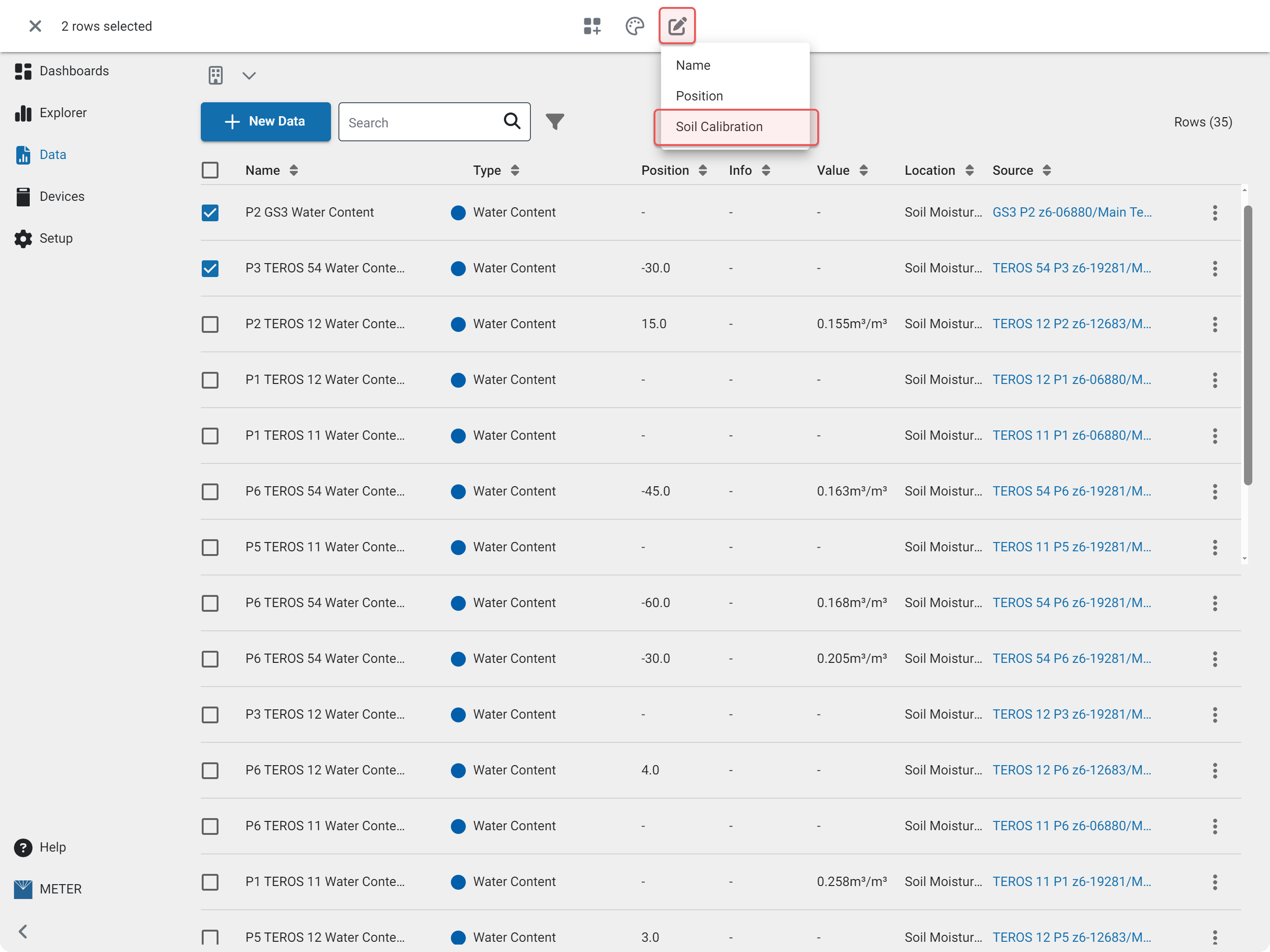
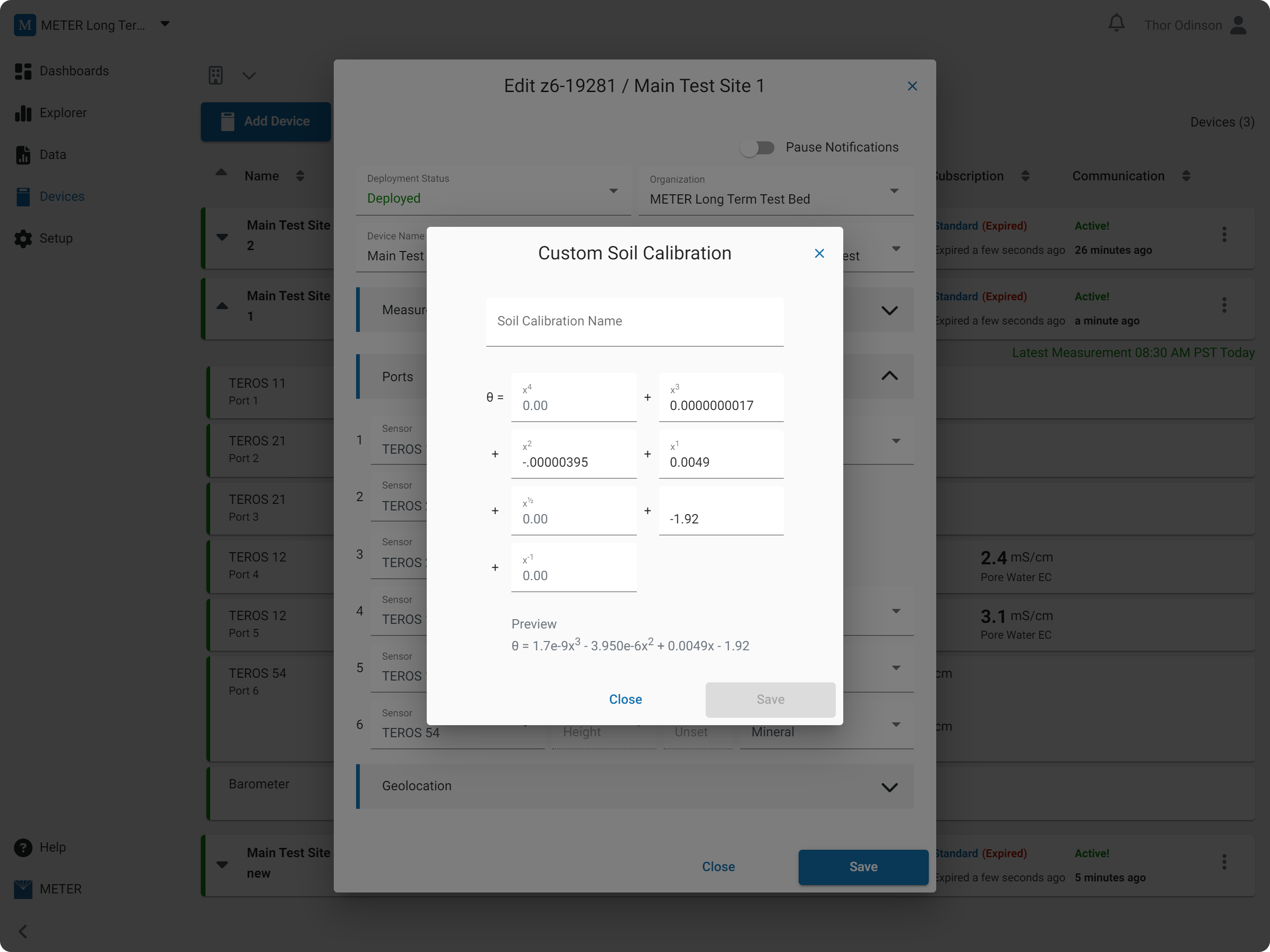
Enter calibration coefficients
Enter a name for the calibration. Coefficients can be entered in scientific notation or full decimal form — for example, 1.0e-3 or 0.001.
How-To-Video
How did we do?
Edit Data
