Table of Contents
Plant Available Water
How to create a Plant Available Water data stream.
Table of Contents
Plant Available Water (PAW) is the amount of water in the soil that is accessible for plant uptake — a key concept in agriculture and horticulture for efficient water management. PAW is the difference between the soil's field capacity (the maximum amount of water the soil can hold after excess water has drained away) and the permanent wilting point (the point at which plants can no longer extract water from the soil).
- AWC = FC − PWP
- PAW = (VWC − PWP) / AWC
The field capacity (FC) value defines the maximum amount of water the soil can hold against gravity drainage. The permanent wilting point (PWP) value defines the water content at which plants can no longer extract water from the soil. Plant Available Water (PAW) is expressed as a percent.
Not sure what values to use? See How do I determine field capacity and permanent wilting point?
Supported sensors
Plant Available Water can be calculated from any volumetric water content measurement.
Recommended sensors
- TEROS 10
- TEROS 11
- TEROS 12
- EC-5
- 10HS
- GS1
- GS3
Create a Plant Available Water model
- On the Data page, select New Data.
- Select Plant Available Water as the type.
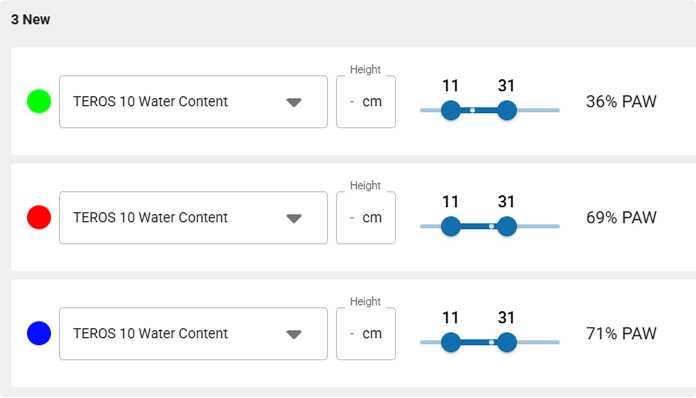
- Select one or more volumetric soil water content data sources.
- Edit the data stream color.
- Edit the data stream name.
- Use the sliders to set the Permanent Wilting Point and Field Capacity values.
- Select Create to finish.
The new data stream(s) will now appear in your data list.
Plant available water
How-To-Video
How did we do?
Leaf Wetness Amount of Water
Wind Chill
