Table of Contents
Wind Chill
How to create a wind chill data stream.
Table of Contents
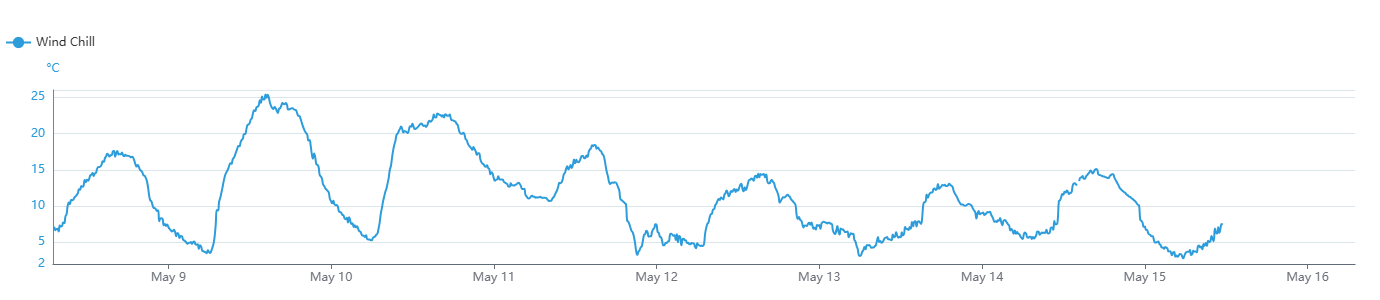
Wind Chill is a measure of how cold it feels to the human body when wind is factored in with the actual air temperature. It is based on the rate of heat loss from exposed skin caused by the combined effects of wind and cold. The wind chill temperature is always lower than the air temperature wherever wind chill applies. Wind speeds under 5 mph have a negligible effect; speeds between 5 and 50 mph have the greatest effect; and above 50 mph the change in wind chill is minimal.
Wind Chill (°C) = 13.12 + 0.6215T − 11.37(V^0.16) + 0.3965T(V^0.16)
- T = temperature in degrees Celsius (°C)
- V = wind velocity in kilometers per hour (km/h)
(Source: NOAA)
Wind chill is defined for temperatures below 10 °C (50 °F) and wind speeds above 4.8 km/h (3.0 mph).
Supported sensors
Wind chill can be calculated from any METER all-in-one weather station.
Recommended sensors
- ATMOS 41
- ATMOS 41W
Create a Wind Chill model
- On the Data page, select New Data.
- Select Wind Chill as the type.
- Select one or more ATMOS 41 sources.
- Edit the data stream color.
- Edit the data stream name.
- Select Create to finish.
The new data stream(s) will now appear in your data list.
Wind chill
How-To-Video
How did we do?
Plant Available Water
