Table of Contents
Evapotranspiration (ET)
How to create an Evapotranspiration data stream.
Table of Contents
ZENTRA Cloud computes Reference Evapotranspiration using the ASCE Standardized Reference Evapotranspiration Equation (ASCE-EWRI, 2005), which is the Penman-Monteith combination equation applied to a standardized reference surface. This is the same method described in FAO Irrigation and Drainage Paper No. 56 (Allen et al., 1998) and standardized by the American Society of Civil Engineers Environmental and Water Resources Institute (ASCE-EWRI, 2005). For the full calculation methodology, see Evapotranspiration (ET): Calculation Method.
How ZENTRA Cloud calculates ET
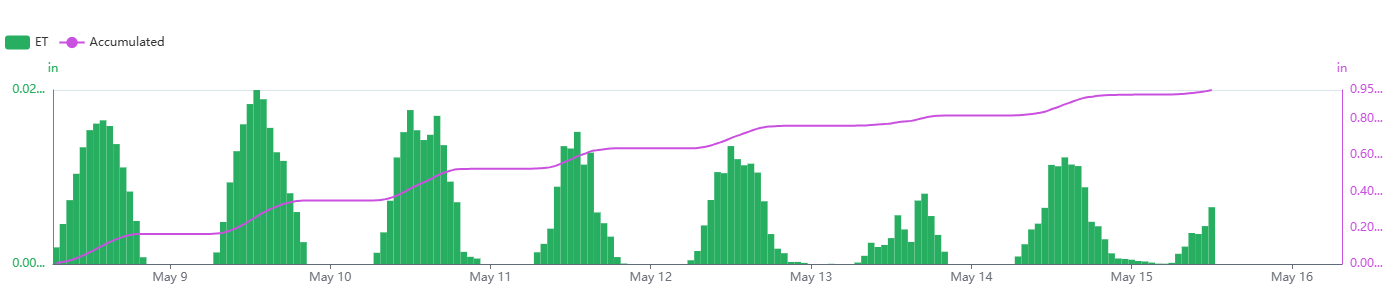
ZENTRA Cloud automatically calculates reference ET (ETo) and presents it on the measurement interval whenever an ATMOS 41 or ATMOS 41W is present. You can also manually create an ETo or ETr model; manually created models are presented on the hourly interval.
Because the ETo equation is nonlinear, calculating it at shorter intervals captures more detail in changing weather conditions. Interval-based values may differ slightly from hourly values, especially during periods of rapid environmental change. Both methods are scientifically valid, but interval-based calculations generally provide higher accuracy by reflecting real-time variability.
Supported sensors
ET can be calculated from any METER all-in-one weather station.
Recommended sensors
- ATMOS 41
- ATMOS 41W
Create an Evapotranspiration model
- On the Data page, select New Data.
- Select Evapotranspiration as the type.
- Select one or more ATMOS 41 data sources.
- Edit the data stream color.
- Edit the data stream name.
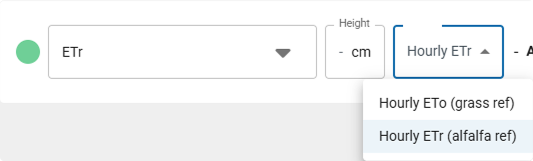
- Click the reference type to change the model variant to ETo or ETr.
- Select Create to finish.
The new data stream(s) will now appear in your data list.
Evapotranspiration
How-To-Video
How did we do?
Daily Light Photoperiod
Evapotranspiration (ET): Calculation Method
