Add Device
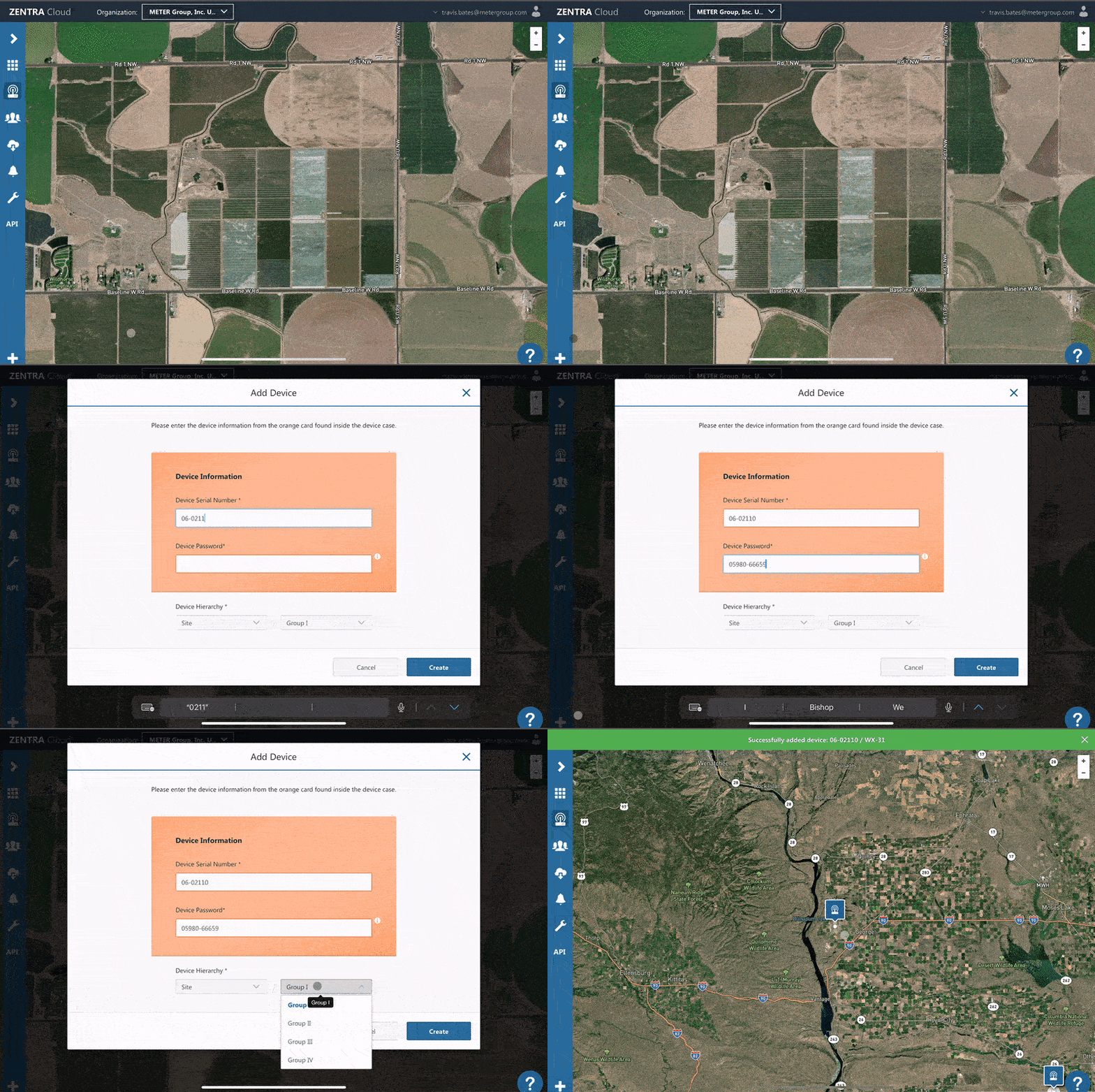
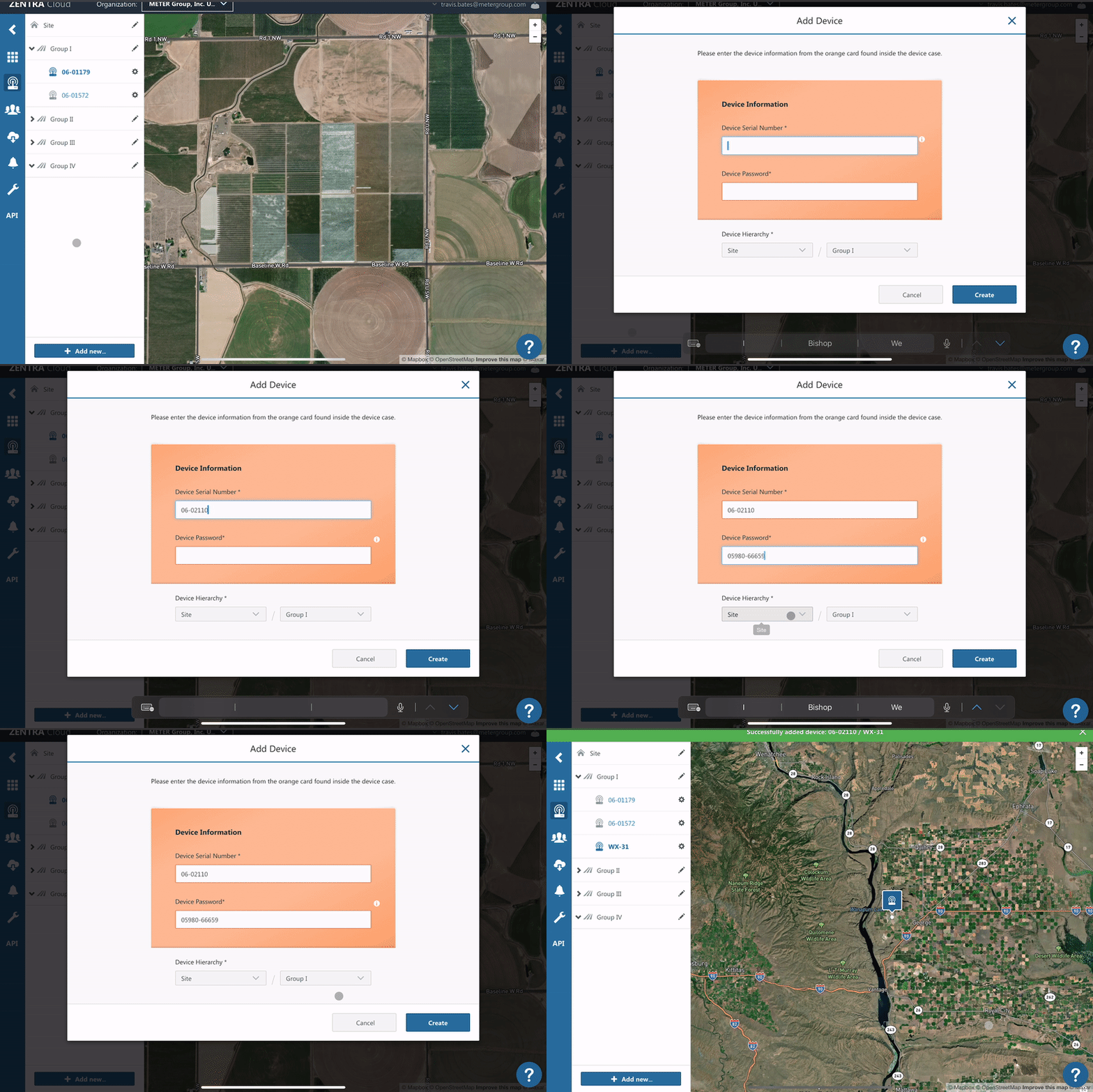
To add a device click the plus icon in the lower left, then select device from the menu.
A device can only belong to one Organization at a time.
Add Device
- Click the Plus icon or + Add New.
- Select Device.
- Enter the device serial number.
- Enter the device password.
- Choose the Site and Plot.
- Click Create.
How did we do?
Re-provision ZL6 to European Server
Remove Device
