Table of Contents
List Cellular Carriers
Queries the cellular module in the data logger for a list of carriers it detects. This is useful when trying to troubleshoot cellular connection problems.
Table of Contents
The List Cellular Carries test queries the cellular module in the data logger for a list of carriers it detects. This is useful when trying to troubleshoot cellular connection problems.
ZENTRA Utility Mobile
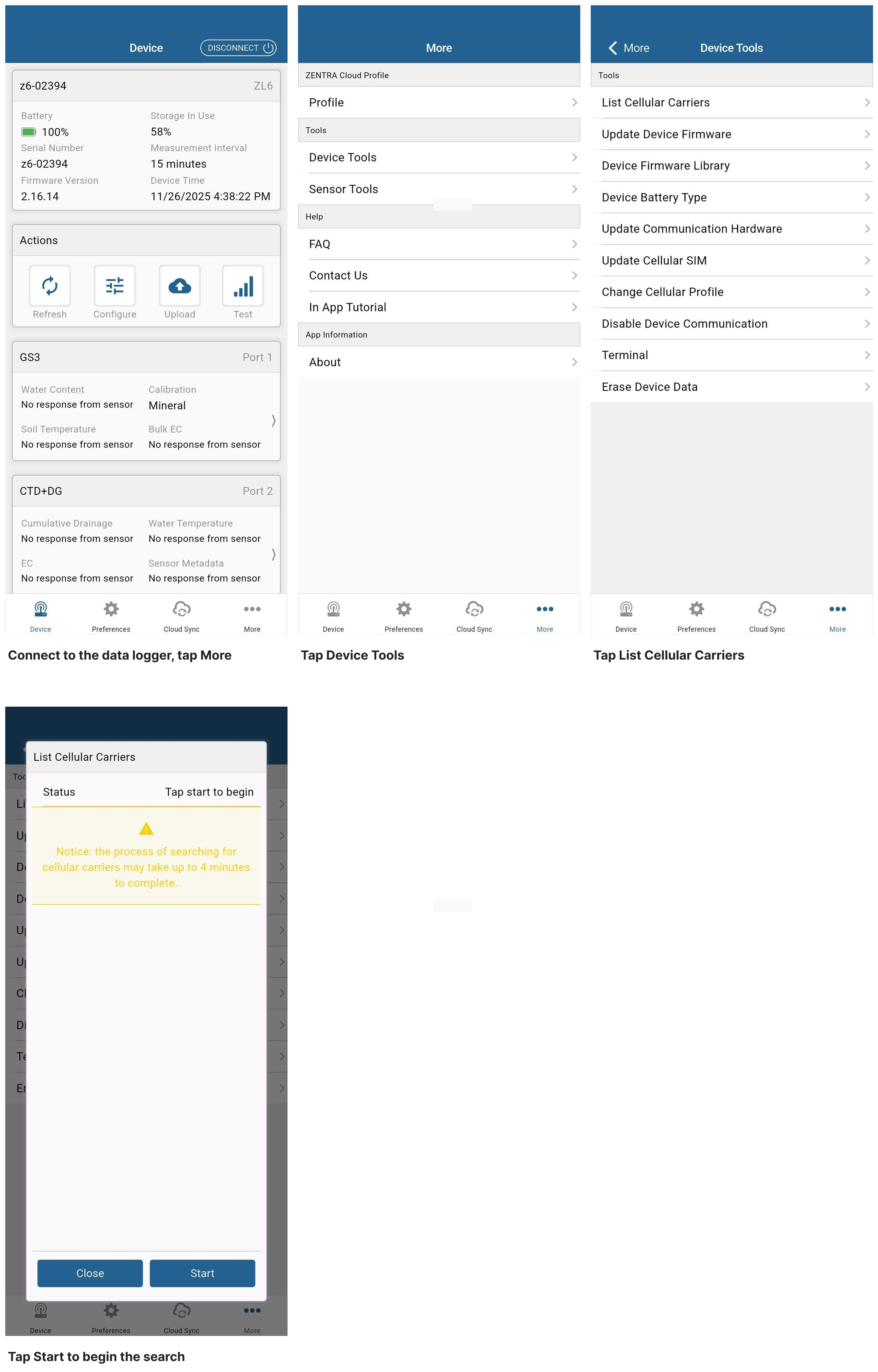
- Connect to the data logger with ZENTRA Utility Mobile.
- Tap More and then Device Tools.
- Select List Cellular Carriers.
- Tap Start to begin the search.
- The search for carriers may take up to 4 minutes.
- The test will look for cellular carriers operating in the area.
- Not all listed carriers may be compatible with the SIM in the data logger.
- Capture a screenshot of the test results to send to Support.
- If the test finds local carriers, try a Communication Test.
Steps
ZENTRA Utility
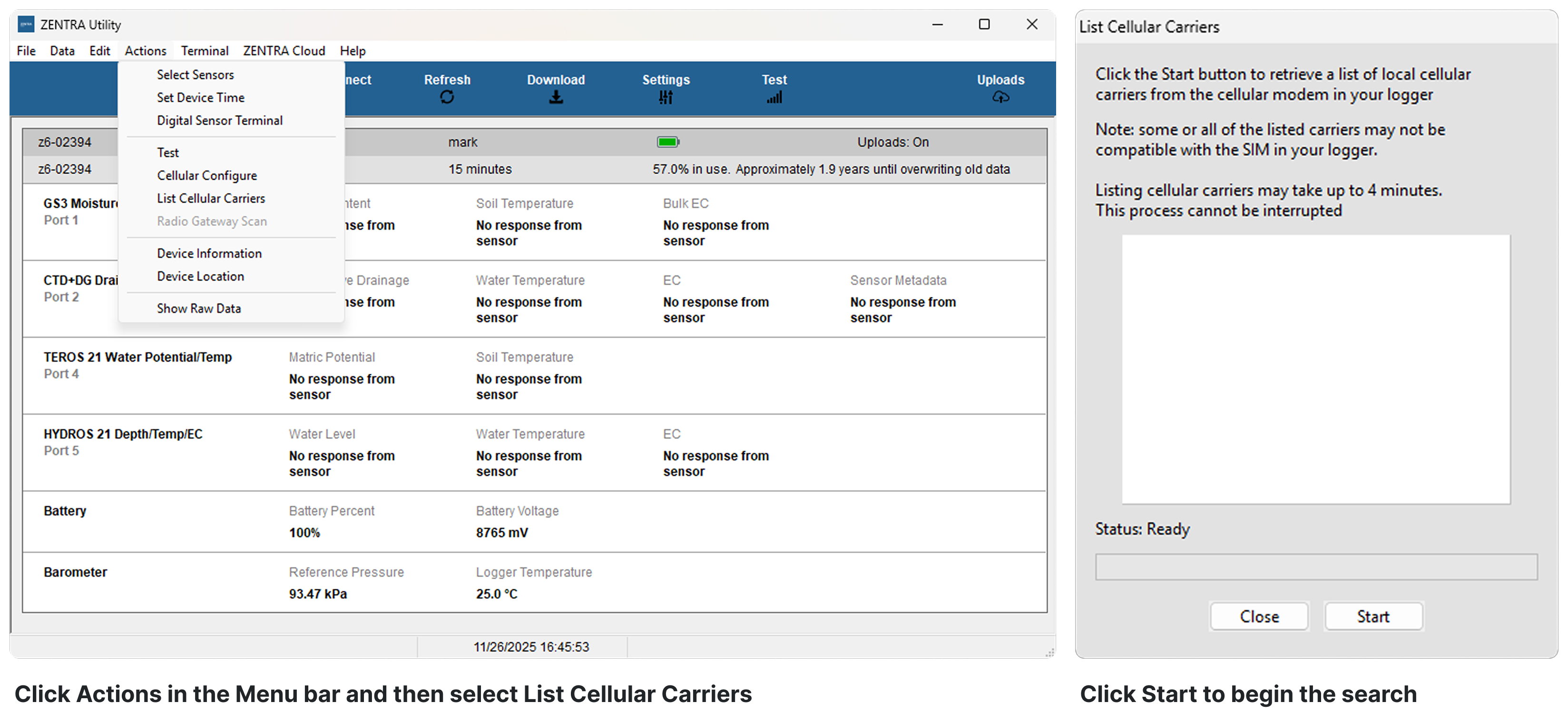
- Connect to the data logger with ZENTRA Utility.
- Click the Actions in the Menu bar and then select List Cellular Carriers.
- Click Start to begin the test.
- The search for carriers may take up to 4 minutes.
- The test will look for cellular carriers operating in the area.
- Not all listed carriers may be compatible with the SIM in the data logger.
- Capture a screenshot of the test results to send to Support.
- If the test finds local carriers, try a Communication Test.
Steps
How did we do?
Communication Test
Test Button & Status Lights
