Table of Contents
Communication Test
A successful communication test will confirm that the data logger can transmit data to ZENTRA Cloud servers, as well as provide a connection quality rating.
Table of Contents
A successful communication test will confirm that the data logger can transmit data to ZENTRA Cloud, as well as provide a connection quality rating. Even a poor-quality connection can successfully send data. Prior to installing the sensors and the data logger, check the connection status at the location.
ZENTRA Utility Mobile
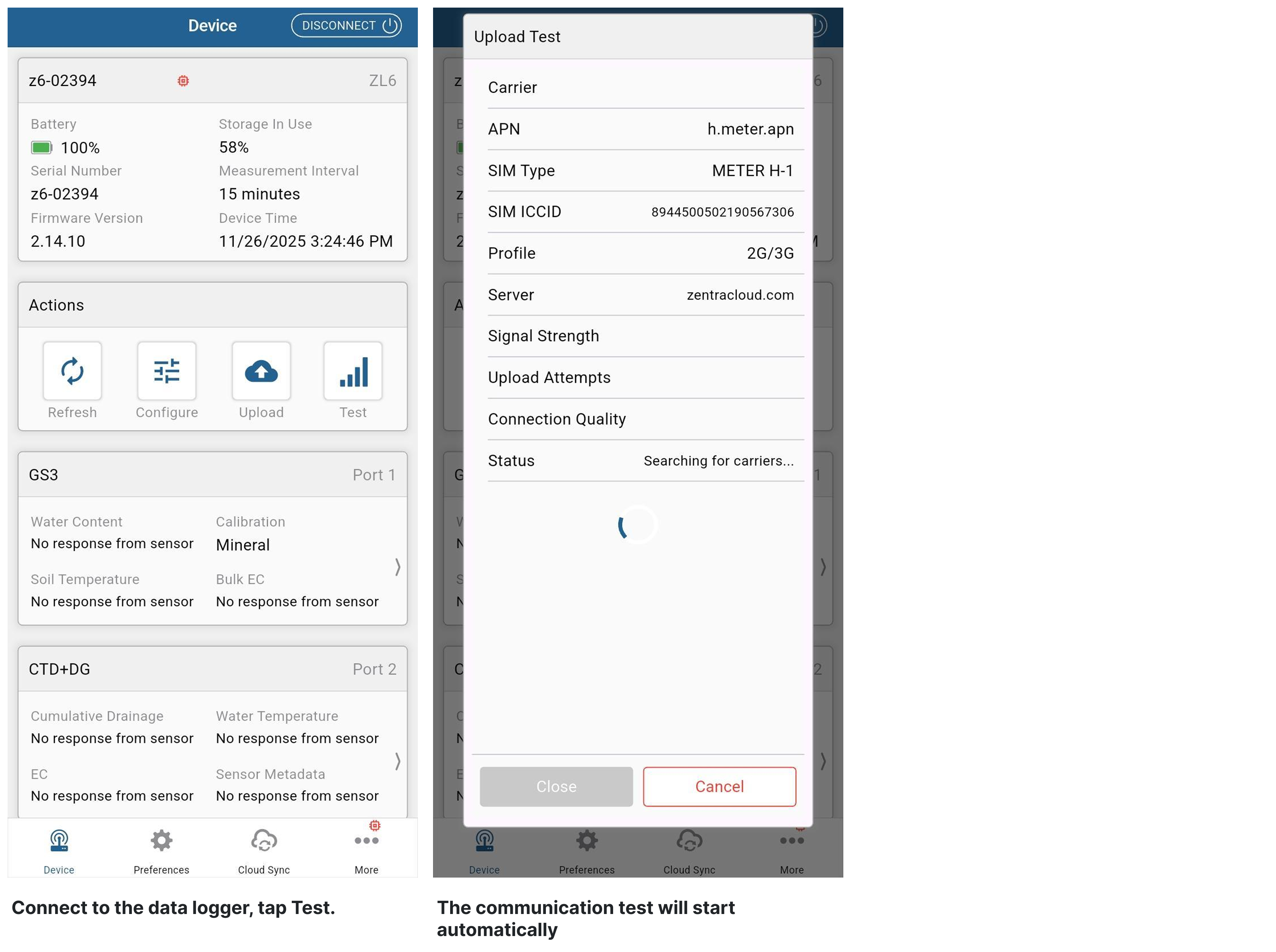
- Connect to the data logger with ZENTRA Utility Mobile.
- Tap the Test button in the Actions panel.
- If the logger fails the test, move to a new location and try again. Sometimes, moving just a few meters will provide a successful connection.
- For a cellular device, if the test continues to fail, try the List Cellular Carriers test instead and send a screenshot of the result to Support.
Steps
ZENTRA Utility
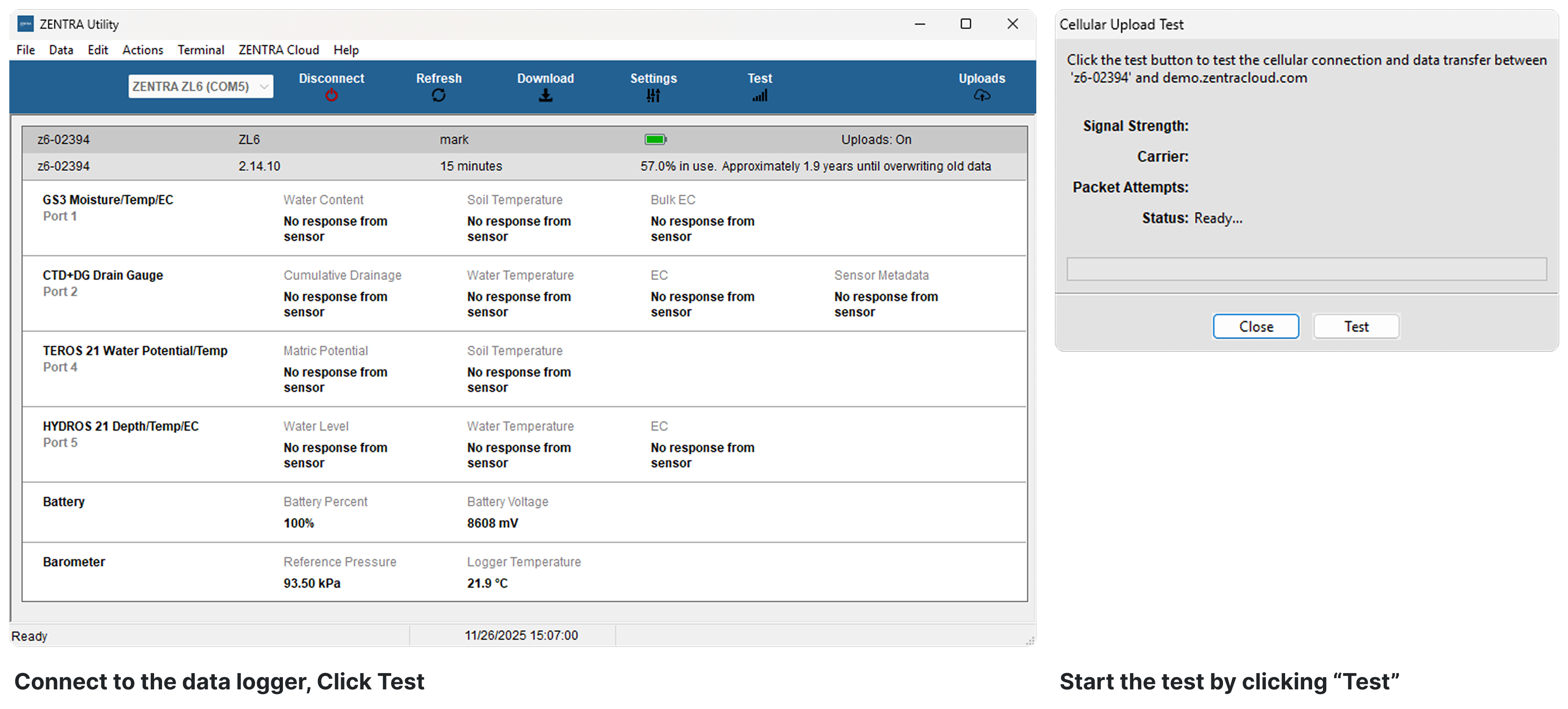
- Connect to the data logger with ZENTRA Utility.
- Click the Test button in the toolbar.
- The Communication Test dialog will appear.
- Click Test.
- If the logger fails the test, move to a new location and try again. Sometimes, moving just a few meters will provide a successful connection.
- For a cellular device, if the test continues to fail, try the List Cellular Carriers test instead and send a screenshot of the result to Support.
Steps
How did we do?
EM50 Series Troubleshooting Guide
List Cellular Carriers
