Set a Target Range
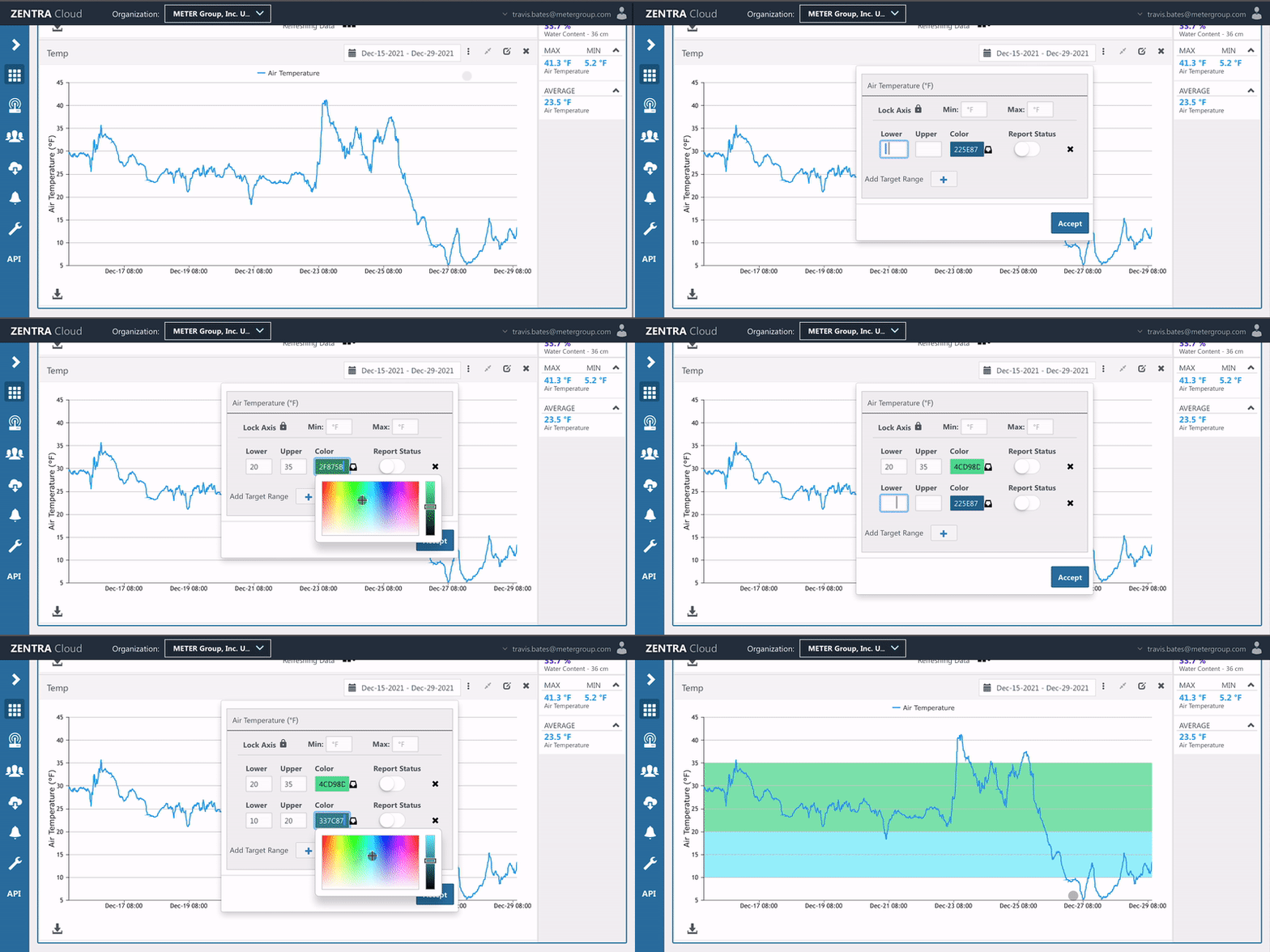
Add target ranges to any chart on the dashboard. Select the desired color and add multiple ranges if needed.
Add Target Range
- Click the vertical ellipsis icon (three dots).
- Select Target Ranges.
- Enter values for the Lower and Upper limits.
- Edit the color.
- If desired, add additional target ranges by clicking the plus icon.
- Click Accept to save.
How did we do?
Print Charts
Lock Chart Axes
