Table of Contents
API Token
How to find, copy, regenerate, and secure the personal API Token that authenticates your ZENTRA Cloud v5 API requests.
Table of Contents
An API Token is a secure credential that lets you access your ZENTRA Cloud data programmatically. Each token is tied to an individual user account and should be treated like a password.
ZENTRA Cloud uses the v5 API for all programmatic access. For endpoints and examples, see the v5 API Overview.
What an API Token is used for
Your API Token lets applications, scripts, and integrations:
- Authenticate with ZENTRA Cloud
- Retrieve environmental and device data
- Access data securely without using your username and password
The token is passed on every request in the X-API-Key header:
X-API-Key: YOUR_API_KEY
Where to find your API Token
You can view and manage your token from your ZENTRA Cloud user account:
- Sign in to ZENTRA Cloud.
- Open your User Account (click your user name).
- Navigate to Integrations.
- Click Show Token to reveal your API Token.
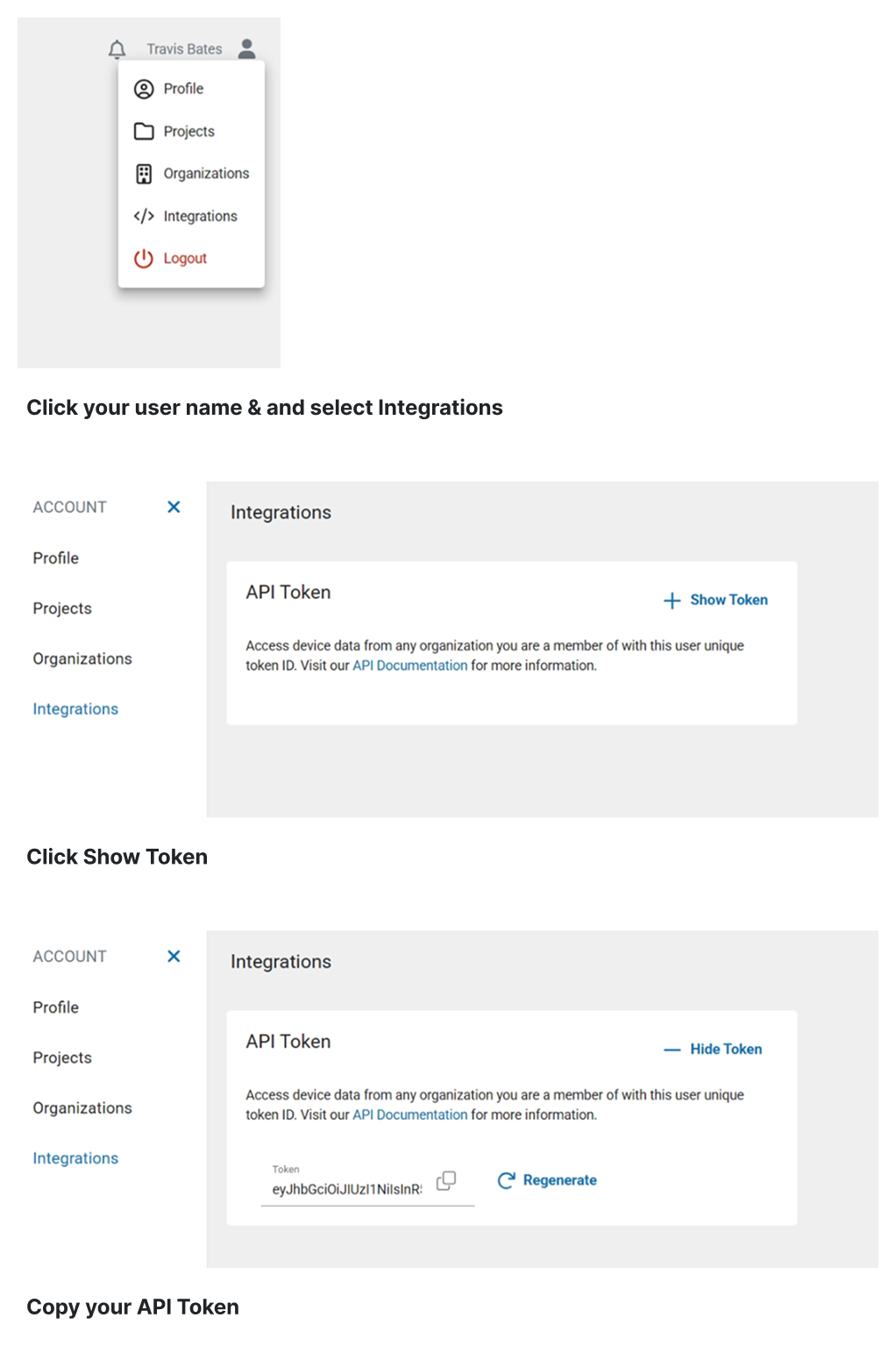
From this page you can:
- Copy the current token ID
- Regenerate the token ID if needed
Regenerating your API Token
Regenerating your token will:
- Immediately invalidate the existing token
- Create a new token ID for your account
Important: Any applications or scripts using the old token will stop working until they are updated with the new token. Only regenerate your token if you believe it has been compromised or you need to rotate credentials.
Security best practices
- Keep your API Token confidential.
- Do not share your token in public repositories or documentation.
- Regenerate your token if you suspect unauthorized use.
How did we do?
Getting Started
Rate Limiting
