EM50 Firmware Update
If the data logger firmware is out of date, use ECH2O Utility to start a firmware update.
Use ECH2O Utility to update the firmware on your EM50 series data logger.
ECH2O Utility
- Connect to the data logger with ECH2O Utility.
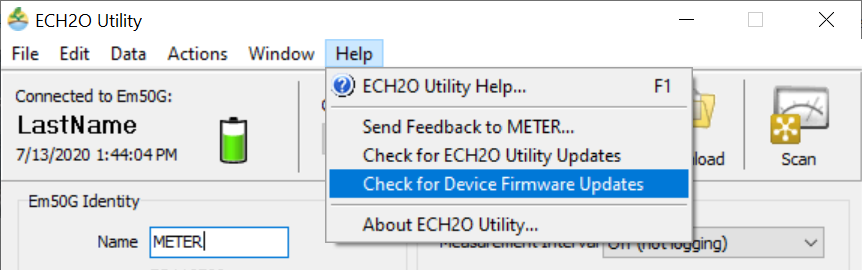
- Click Help in the Menu bar and select Check for Device Firmware Updates.
- Click Update Now to start the update.
- The update can take 3-5 minutes.
- After the update is finished, you will have to reconnect to the data logger.
Steps
How did we do?
